

On a Unox oven, fan speed controls how hard hot air moves across your product. A high speed cooks and browns quickly and evenly on loaded trays. A low speed, or a pulsed low speed, protects delicate items such as meringues, choux, sponges and soft doughs. The number of speeds and the way you select them depend on the model, so the right setting is always the one that suits the product, the load and the control panel in front of you.
This guide is for kitchen owners, head chefs and bakers who already have a Unox oven, or are choosing one, and want consistent trays at peak service. It explains what the settings do, how to pick one, how to set it up as a programme, and what to check when the result is not what you expected.
TL;DR
- Higher fan speed means faster, more even heat transfer and stronger browning. Lower speed means gentler airflow for delicate or light products.
- Unox ovens use reversing fans, so air reaches both sides of the chamber. Low-speed modes can run with less or no reversing, which is how gentle modes work.
- The number of speeds varies by range and model, from a few fixed steps to continuous speeds, so check your own control panel and manual.
- Set fan speed per product, then save it as a programme so every shift gets the same result.
- Uneven trays are usually a loading, preheating, cleaning or fan-guard issue before they are a settings issue.
Table of Contents
- What fan speed actually does inside the chamber
- Why Unox fans reverse, and what that means for your settings
- How many fan speeds does a Unox oven have?
- Choosing a fan speed by product
- How to change the fan speed on a Unox oven
- Build fan speed into your programmes
- If the result is not what you expected
- Matching fan control to your kitchen
- Our view
- Choosing your next oven with us
- FAQ
- Sources
What fan speed actually does inside the chamber
A convection oven cooks with moving air. The heating elements warm the air, and the fan pushes it across the surface of the food. The faster the air moves, the more heat reaches the surface in a given minute. That is why a fan-assisted oven cooks faster than a static one, and why a fast fan browns the outside of a product sooner.
The trade-off is physical. Strong airflow can dry the surface of a product, ripple a light batter, push a soft topping off to one side or set a crust before the centre has finished rising. So the skill is matching airflow to the product, not simply running the fan at full.
Research on a ten-tray electric commercial oven backs this up. A 2024 study published in the Journal of Physics: Conference Series found that uneven hot-air distribution produces different cooking quality from tray to tray. Its authors concluded that fan geometry, rotation speed, direction and movement intervals all need to be examined to cook evenly and use less energy. In a working kitchen that translates into one practical rule: speed, direction and loading work together, and no single setting suits every product.

Why Unox fans reverse, and what that means for your settings
Unox ovens use multiple fans that change direction during cooking. The idea is that air arrives from alternating directions, so a tray at the back and a tray near the door are treated more alike than they would be with a fan that only ever turns one way.
This matters when you read the speed options. In Unox’s service documentation for the BAKERTOP and CHEFTOP ovens, there is a parameter that sets the fan speed at or below which the motor stops reversing, with a default of 1. In plain terms, the lowest speed can run as a more static, gentle mode, while higher speeds reverse. That parameter belongs to the service level of the oven. It is for a qualified engineer, not for adjusting between bakes, so if your oven behaves differently from what you expect, ask for advice rather than changing deep settings yourself.
The practical takeaway for the kitchen: a low setting is not just a slower fan. On many models it also changes how the air behaves, which is why it suits fragile products.

How many fan speeds does a Unox oven have?
This is the question that trips up most kitchens, because the answer depends on the range.
- Bakery-style convection models such as BAKERTOP: Unox lists a four-speed fan system on its BAKERTOP specification sheets.
- Combi-speed and speed-combination models: these can offer continuous speeds plus extra high-intensity modes, along with multi-step cooking where each step carries its own time, temperature and fan setting.
- Simpler manual and LED-control convection ovens: these tend to offer fewer, fixed fan choices, often a low and a high option, sometimes with a pulse mode.
Treat that list as a guide to the pattern, not as a spec for your exact oven. Always read the fan section of your model’s manual. If you are comparing ovens before you buy, the control level (manual, LED, touch or connected) usually tells you how much control over fan speed you get. You can browse the convection ovens and bakery ovens ranges to see the options.
Choosing a fan speed by product
The 2024 oven study makes the same point from an engineering angle: because food type, quantity, temperature and humidity differ, the airflow has to be assessed per product. Here is how that works in practice. Use these as starting points, then adjust on your own oven.
| Product | Starting fan setting | Why |
|---|---|---|
| Meringues, macarons, choux | Lowest or pulse | Gentle air avoids cracking, rippling and uneven rise |
| Sponges, cakes, soft enriched doughs | Low to medium | Lets the centre rise before the crust sets |
| Croissants and laminated pastry | Medium, adjusted to the oven | Needs lift and colour without drying the layers |
| Bread rolls and bread on loaded trays | Medium to high | Evens out colour across all trays |
| Roast vegetables, potatoes, chips from frozen | High | Fast surface heat gives colour and crispness |
| Reheating plated or pre-cooked food | Medium | Moves heat through without drying the surface |
| Drying, such as herbs, fruit slices or crisps | Low to medium with the vent open | Moving air carries moisture away at a gentle pace |
A home-baker forum thread about a Unox bakery oven describes the same logic for the smaller models: pulse or the lowest setting for items needing a gentle touch, and the higher setting for items that need drying. Take it as the common-sense pattern rather than a rule for every oven.
Delicate products: go lower, then check the colour
Start at the lowest setting and watch the first tray. If the top of the product leans or the surface ripples, the air is still too strong for that recipe, or the tray is too close to the fan. If the colour is pale on one side, the issue is more likely tray position or load than speed.
Loaded trays: go higher, then check the top and bottom trays
A fully loaded oven needs enough airflow to reach every tray. Cook a full load and compare the top and bottom trays. If the bottom tray is lighter in colour, raise the fan speed a step before you change the temperature, because adding temperature first often over-browns the top trays.
Reheating and holding
For reheating, a medium setting usually moves heat through the product without scorching the surface. Cover or add steam if your model has it, so the airflow does not dry the food.
How to change the fan speed on a Unox oven
The exact keys differ by model, so read this as the general route and confirm it against your manual.
- Choose or open a cooking mode. Manual models set the fan with a dedicated control or by selecting a speed icon. LED and touch models show fan speed within the cooking parameters.
- Set temperature and time first. Fan speed is one of three core parameters, alongside temperature and time.
- Select the fan speed. Use the fan speed key, knob or touch slider to step through the available speeds. On models with a pulse mode, pulse is usually the lowest choice.
- Use multi-step cooking where it is offered. Many connected and touch models let you set a different fan speed for each step. One bake can start with a higher fan for the first colour and finish on a lower one so the product sets gently.
- Save it as a programme. If your control supports stored programmes, name the programme after the product and save the speed with it. That way a new member of staff does not have to guess.
- Preheat before loading. Whether you use automatic or manual preheating, load the product once the oven has reached temperature, because fan speed behaves differently in a chamber that is still heating.
If you are not sure which route your oven follows, our team can talk you through the controls on the model you are considering or already run. You can reach them through the Expert Advice service on our site.
Build fan speed into your programmes
The biggest gain in a busy kitchen is not finding the perfect setting once, it is keeping it. When each cook chooses their own speed, the same croissant comes out in three different colours across a week.
A simple routine works well:
- Write down the temperature, time and fan speed that gave the right result for each product.
- Store it as a named programme where the oven allows it.
- Record the tray count and the rack positions beside it, because the same programme at half load cooks differently.
- Review the settings when the recipe, the tray type or the supplier of the dough changes.
This also shortens training. A programme card by the oven answers most of the questions a new starter asks during service.
If the result is not what you expected
When a product comes out uneven, resist the urge to change the fan speed first. Work through these checks in order.
1. Check the load and the tray position
Overfilled trays, trays pushed too close together or an unevenly loaded oven all block airflow. The study cited above is clear that uneven air distribution is what causes tray-to-tray differences, so a blocked airflow path gives the same result as a wrong setting.
2. Check the preheat
Loading before the oven reaches temperature means the first minutes run at the wrong heat, and it is easy to blame the fan for the pale base that follows.
3. Check the fan guard and the chamber
Grease and baked-on residue around the fan guard disturb airflow and smell when they burn. Clean the chamber on the routine your manual gives. Our range includes oven detergent and warewashing products for regular cleaning. For a deep clean of a commercial oven in London, commercial oven cleaning in London is available from a team that covers all 32 boroughs.
4. Check the trays and accessories
Dark, warped or wrong-sized trays change how air flows around a product. Unox ovens are designed around specific tray sizes, so use the sizes your model expects. Airflow accessories, such as the airflow baffle plate XUC156, are matched to particular ovens, so confirm compatibility with us before you order.
5. Check the fan itself
If the fan is noisy, slow to start, does not change direction or the oven shows a fan-related error, stop relying on settings and call a qualified service engineer. The fan motor is a serviceable part, and a faulty one needs repair, not a new setting.
6. Only then adjust the speed
Change one thing at a time, by one step, and test on a single tray. Keep a note of what changed so the good result is repeatable.
Matching fan control to your kitchen
The level of control you need depends on what you cook.
- Bakeries with delicate and heavy products in the same day benefit from several speeds and a pulse or low mode, plus stored programmes. See the bakery ovens range.
- Cafes reheating and finishing a small menu usually need a simple, fast oven with a couple of reliable programmes. A model such as the Unox convection oven with LED control, XEFR-06EU-ELLV keeps the controls straightforward.
- Restaurants and caterers cooking varied menus often prefer touch or master-control models, because each step of a recipe can carry its own settings. The Unox convection oven with Master Control, XEFR-06EU-EMLV is one example.
- Kitchens that need steam as well as air should look at the combi ovens on our main site, where fan speed works alongside humidity and steam.
Our view
Most of the fan speed questions we hear are really questions about consistency. A kitchen finds one good setting, then loses it when a different cook runs the oven on a different day.
That is why we advise choosing an oven by how it lets you store and repeat settings, not just by how many speeds it lists. A bakery that stores a pulse programme for meringue and a high programme for rolls will beat a kitchen with a better oven and no routine.
We sell ovens from manufacturers such as Unox, Rational and Merrychef, with installation and expert advice from our team, so the oven you choose is matched to the way your kitchen works. If you are unsure whether you need a few simple speeds or full programmable control, tell us what you cook and how many covers or trays you turn out at peak, and we will help you choose.
Simon
Choosing your next oven with us
If your current oven cannot hold a gentle setting for delicate bakes, or you are opening a kitchen and want the right control level from day one, we can help you choose. We supply convection, combi and speed ovens for bakeries, cafes, restaurants and caterers, along with accessories, installation and flexible payment and leasing options, including iwocaPay.
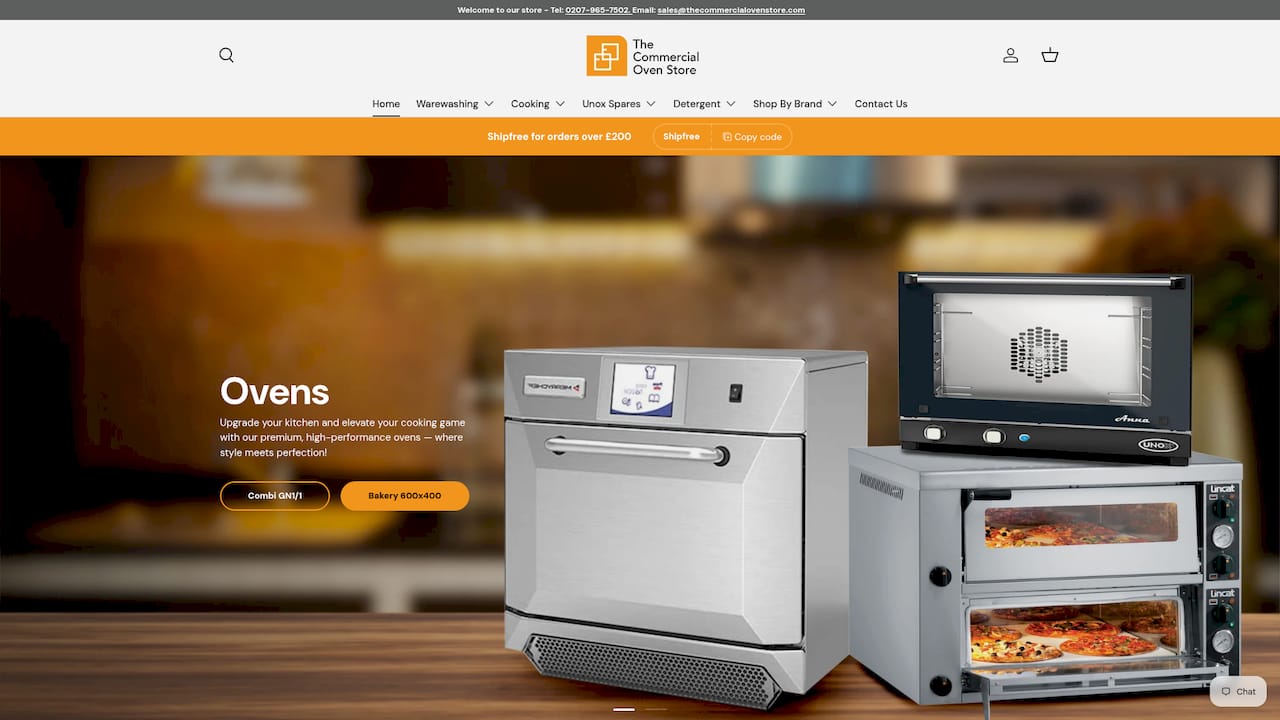
Start with the commercial ovens collection, or contact our team through the Commercial Oven Store for advice on the right model.
FAQ
Do all Unox ovens have the same fan speeds?
No. The number of speeds, and whether there is a pulse mode, differ between ranges and between control levels. Bakery-style models list four fan speeds, while combi-speed models can offer continuous speeds and extra modes. Check the fan section of your model’s manual for the exact options.
What does the pulse or lowest fan setting do?
It gives the gentlest airflow, which suits meringues, choux and light sponges. On Unox ovens the lowest speeds can run with little or no fan reversing, so the air behaves more like a static oven. Use it when high airflow would crack, ripple or dry a delicate product.
Should I lower the fan speed or the temperature if my bakes brown too fast?
Try the fan first, one step lower, because airflow drives surface browning. If the product is still colouring too quickly, lower the temperature by a small amount. Change one thing at a time and test on a single tray.
Why are my top and bottom trays cooking differently?
Uneven loading, trays packed too close together and a dirty fan guard are the usual causes. Research on commercial ovens shows that uneven hot-air distribution produces different quality between trays. Fix the load and the cleaning routine first, and then consider a higher fan speed. If the problem stays, ask a qualified engineer to check the fan.
Can I change the fan speed during a bake?
On models with multi-step cooking, yes: each step can carry its own time, temperature and fan setting. On simpler manual models you change it by hand while the oven is running. Check your manual for how your control handles it.