

An airflow error on a speed oven means the oven has detected that air is not moving as it should. The fan may be turning too slowly, something may be blocking the air path, or the wiring to the fan may be at fault. Start with the safe checks: switch off, let the oven cool, clear the vents and filters, and look at the clearances around it. Then try one reset. If the code comes back, stop using the oven and call a qualified engineer.
This guide is for kitchen owners and managers who run a speed oven in a cafe, restaurant, bakery or catering operation and have a fault on the display in the middle of service. It sets out what the message usually means, what you can safely do yourself, and what to tell an engineer so the visit is fast.
TL;DR
- An airflow or fan-speed error usually points to one of three things: restricted airflow, the fan itself, or the wiring to it.
- Check the safe, outside-the-casing items first: blocked vents, dirty filters, cramped installation and a fan that is running on after switch-off, which can be normal.
- Switch off at the mains for 30 to 60 seconds, switch on once, and see whether the code clears. Do not keep cycling the power.
- A code that returns, burning smells, odd noises or unsafe temperatures mean stop using the oven and book an engineer.
- Have the model, serial number, exact code and a description of the fault ready before you call.
Table of Contents
- What an airflow error on a speed oven means
- Why the fault appears: the usual causes
- Safe checks you can make in ten minutes
- How to reset a speed oven, and when not to
- When to stop and call an engineer
- Our perspective: most airflow faults start before the oven is switched on
- Keeping airflow healthy: a simple routine
- Replacing or adding an oven
- FAQ
- Sources
What an airflow error on a speed oven means
Speed ovens combine fast heat with forced air, so they depend on fans more than a basic oven does. There are normally fans moving hot air around the cooking cavity and fans cooling the electronics and the casing. The control board watches how fast these fans turn, and it raises a fault when the reading is outside what it expects.
Manufacturer guidance across several brands describes the same logic. One appliance maker defines its cooling fan speed message as the fan running too slowly or too quickly, with restricted airflow, the cooling fan or its wiring as possible problems. Another manufacturer gives the same three suspects for its F8 E0 code, which means cooling-fan speed too low, and for its 4d21 code. A third repeats it: speed too low or too high, with restricted airflow, the fan or associated wiring.
That gives you a simple way to think about any airflow message, whatever your oven’s badge says:
- The air path is restricted. Something is stopping air getting in or out.
- The fan is struggling. It is worn, loose, dirty or failing.
- The signal is wrong. A wiring or connector problem means the board cannot read the fan properly, or cannot drive it.
Only the first of these is something you can safely deal with yourself. The other two belong to an engineer.
Codes are not universal
The example codes above come from domestic and general cooking appliances. They show how manufacturers reason about fan faults, but they are not a lookup table for your speed oven. A code that means one thing on one make can mean something else on another. Your operator manual, or the manufacturer’s service documentation for your exact model, is the only reliable translation of the code on your display. Write the code down exactly, including any letters and spaces, before you do anything else.
Why the fault appears: the usual causes
Without opening the oven, you are looking for clues. Each cause tends to leave a different trail.
Blocked or restricted air
This is the most common and the most fixable cause. Typical culprits in a working kitchen:
- Grease, flour dust or lint on intake grilles and filters
- Boxes, trays or cling film stored against the oven’s vents
- An oven pushed too tightly against a wall, a fryer or a shelf unit
- A recess or cabinet that was built or altered after installation
Installation matters here more than people expect. A UK oven maker’s installation guidance stresses that ventilation measurements vary by model and that the installation manual must be checked, with examples such as cabinet ventilation gaps and panels that must not cover the back of the oven. That is a built-in domestic example, but the principle holds for a counter-top speed oven: the manufacturer specifies clearances for a reason, and a unit squeezed into a smaller space than the manual allows will run hot and trip its fan monitoring.
If you recently moved the oven, added shelving or changed the line-up of equipment, that is your first suspect. Our guides on commercial oven placement and speed oven dimensions explain what to measure and record so clearances are right from day one.
A fan that is loose, worn or disconnected
A UK manufacturer explains that the oven fan circulates hot air for faster, more even heating, and that a fan can become loose or disconnect from its motor. Symptoms listed there include poor heating, longer preheating and unusual noise. In a speed oven those same symptoms show up as slower cook times, items that come out pale or uneven, and a rattling, whining or scraping sound from the back or top of the cavity.
If you hear a new noise alongside the error, treat it as a mechanical fault. Do not run the oven to see whether it settles down.
Wiring and connectors
Heat, vibration and years of cleaning can loosen connectors or damage insulation. This produces intermittent faults: the code appears at preheat, disappears, then returns an hour later. Intermittent is a clue worth passing on to the engineer. It is not a fault to investigate with a screwdriver.
A fan that runs after switch-off is normal
Before you chase a fault that does not exist, note that cooling fans often keep going after the oven is off. One UK manufacturer says a cooling fan may run for up to 30 minutes after switch-off, cycling on and off to protect the controls, and that this is normal behaviour rather than a fan-speed fault. Your speed oven may do the same. Check your manual for its cool-down behaviour, and do not switch it off at the mains while the fan is still running.
Safe checks you can make in ten minutes
Work in this order. Everything here is outside the casing.
- Note the code and the moment it appeared. Was it at start-up, mid-cook, or after a cleaning cycle? Take a photo of the display.
- Switch the oven off and let it cool fully. Do not open or remove panels on a hot or live unit.
- Unplug or isolate it before touching any part. The same UK guidance says to unplug the appliance before replacing any part. A hard-wired oven should be isolated at its dedicated switch.
- Clear the vents. Look at every grille on the top, sides and back. Remove anything stored against them. Wipe away dust and grease from the outside.
- Clean the filter or fan guard the way your manual describes. Only remove what the operator manual says an operator may remove. Refit it correctly and check it seats fully.
- Check clearances. Compare the gaps around the oven with the figures in the installation section of the manual. Move anything that is too close.
- Look for obvious damage. A kinked or trapped cable, a crushed vent or a loose guard is worth noting.
- Restore power and try a single reset (see below).
If your oven shares an extraction canopy or sits under a hood, also ask whether that ventilation is working. A failed extractor changes the heat load around the oven. Our guide on speed oven ventilation in the UK covers what operators need to get right, and the UK oven ventilation rules article covers compliance steps.
How to reset a speed oven, and when not to
A reset clears temporary glitches. It does not repair a failing fan. The aim is to find out whether the fault was a one-off or is real.
One UK manufacturer’s advice for F-prefixed faults is to switch the oven off at the mains for 30 to 60 seconds, switch it back on once, and see whether the fault clears. The same page notes that these faults may need a specialist engineer. A US manufacturer’s procedure is similar: switch off at the circuit breaker for one minute, restore power, then watch the oven for a minute to make sure the code does not reappear.
Apply that sensibly to your speed oven:
- Reset once, not repeatedly. Cycling power over and over can hide a developing fault and stress components.
- Let the oven run for a short time, listening for noise and watching the display, before you load it with food.
- Use the isolator or breaker your manual specifies. Do not pull a plug under load.
- If the oven has a service or diagnostic menu, leave it alone unless your manual says operators may use it.
Procedures differ between models. Oven functions and symbols vary, and one UK manufacturer reminds owners to check the manual for the functions that apply to their exact appliance. Your manual outranks any generic advice, including this article.
When to stop and call an engineer
Commercial kitchens are under pressure to keep cooking, which is exactly when risky decisions get made. Stop using the oven if any of these apply:
- The error returns after a reset
- You smell burning or see smoke
- The cavity temperature seems wrong, too hot or not heating
- You hear grinding, rattling or scraping from a fan
- There are signs of an electrical problem, such as tripping, scorch marks or a hot plug
That list follows UK manufacturer advice: stop using the appliance and arrange service where there are electrical issues, burning smells, repeated errors, unsafe temperatures or a fault that returns. A UK-published oven manual gives the same instruction for persistent codes, saying a service technician should be called if an error persists after disconnecting the appliance from the mains for a few minutes. Another manufacturer states that fault codes exist to help trained technicians diagnose problems, and that a trained service technician should be called when a control shows one. If you suspect a loose or damaged fan, one UK brand advises booking its own technician.
In practice, the right person is an engineer approved for your make and competent on commercial electrical and gas equipment where relevant. Do not open the casing, bypass a sensor or jump a fan circuit to keep the oven running. A sensor that is telling you the air is wrong is protecting the controls and your staff.
What to have ready when you call
A fast repair starts with good information. One UK manufacturer asks customers arranging a repair for the model number or PNC, serial number, a detailed description of the issue, and the purchase or delivery date. Prepare the equivalent for your speed oven:
| Information | Where to find it |
|---|---|
| Make and model | Rating plate, usually on the back or side |
| Serial number | Rating plate |
| Exact error code and wording | Display, ideally photographed |
| When it happens | Start-up, mid-cook, after cleaning |
| What you already tried | Vents, filters, reset, clearances |
| Noise or smell | Describe it and when it occurs |
| Purchase or delivery date | Invoice or delivery note |
The last line matters because it tells the engineer whether the oven is under warranty.
Our perspective: most airflow faults start before the oven is switched on
We sell and advise on commercial ovens, including combi, convection and speed ovens, and the pattern we see is consistent: the airflow message on the display is often the last link in a chain that began at installation or in daily routine. A unit placed too close to a wall, a hood that does not match the oven’s heat output, or a filter nobody owns the job of cleaning will all end in the same fault code.
Three habits prevent most of it. First, record the clearances at installation and photograph them, so anyone moving equipment later can see what must stay clear. Second, give filter and vent cleaning a named owner and a place on the closing checklist. Third, treat any new noise as a fault report, not background sound.

The same logic applies across our range. If you run combi ovens, our guide on combi oven troubleshooting gives short checks for chefs, and the piece on Rational service codes and convection oven checks covers how to read codes on those units. Both follow the same rule: do the safe outside checks, reset once, and hand anything inside the casing to a qualified engineer.
We would rather you lose ten minutes to a methodical check than lose a week to a damaged fan motor that kept running after the first warning.
— Simon
Keeping airflow healthy: a simple routine
Prevention is cheaper than downtime. Build these into your opening and closing routine:
- Daily: wipe the exterior and vents, clear anything stored against the oven, and listen at start-up for changes in fan sound.
- Weekly: clean filters and guards as the manual specifies, and check that nothing has crept closer to the oven.
- After any change: if you move equipment, add shelving or change the extraction, recheck the clearances against the manual.
- Annually, or as the manufacturer advises: arrange a service by a competent engineer so fans, connectors and sensors are inspected by someone qualified.
Ventilation is part of this. If your speed oven sits in a kitchen with limited extraction, or you are planning a new line, read how ventilation affects different oven types in our guide on combi oven extraction and ventless hoods. Installation faults are also a common cause of early problems, and our article on common on-site failures in UK combi installations shows what to check before the engineer leaves.
Replacing or adding an oven
If your oven is old, repeatedly faulting or no longer matches your menu, replacement may be better than another repair. We supply commercial ovens for bakeries, cafes, restaurants and caterers from brands including Unox, Rational and Merrychef, with installation and expert advice from our team. Payment can be spread through iwocaPay or lease finance, so you can change equipment without a large single outlay.
If you need a fast countertop unit, look at our CIBO countertop fast oven. For wider choice, browse our commercial ovens range, or tell us about your kitchen and we will help you match an oven to your space, ventilation and menu.
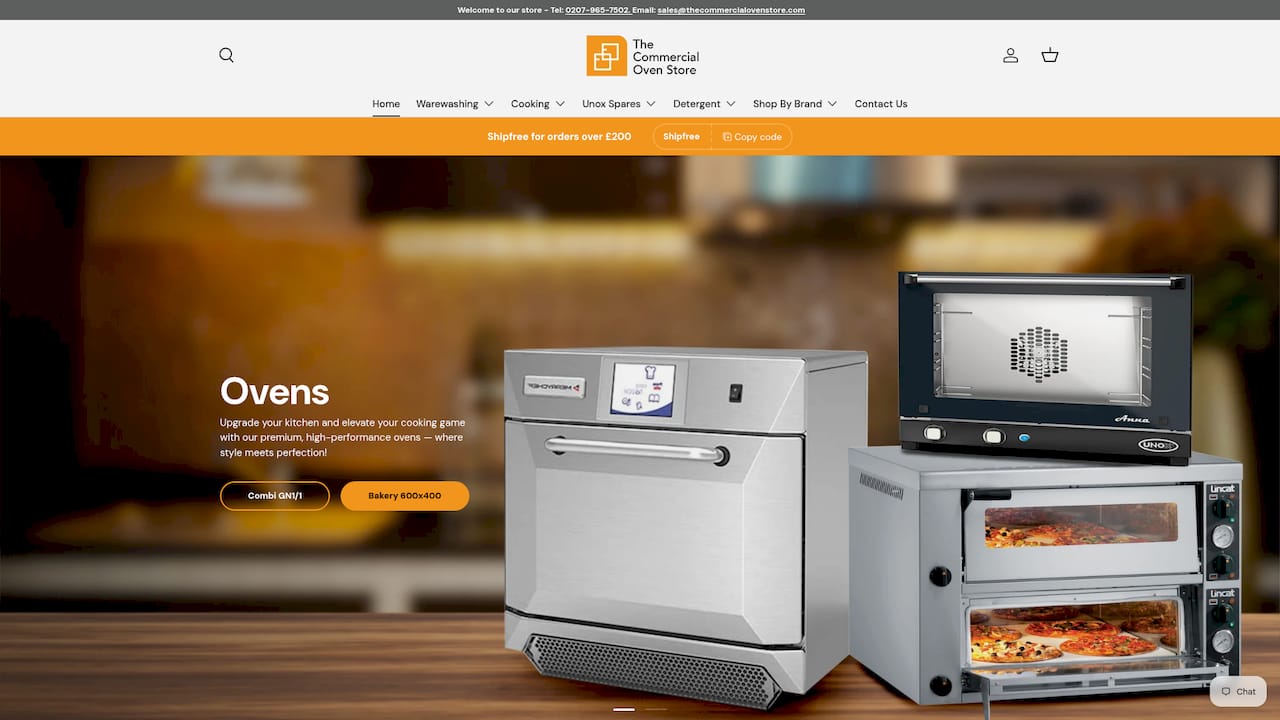
If you are comparing options, the convection ovens and bakery ovens collections cover the other main oven types we sell.
FAQ
What does an airflow error on a speed oven mean?
It means the control has detected that a fan is turning too slowly or too quickly, or that air is not moving freely. Manufacturer guidance usually names restricted airflow, the fan, or its wiring as the possible causes. Check your manual for what the exact code means on your model.
Can I fix an airflow error myself?
You can safely clear blocked vents, clean filters as your manual allows, check clearances and try one reset. Anything involving the fan, wiring or casing should be left to a qualified engineer. If the error comes back after a reset, stop using the oven.
Is it normal for the fan to keep running after I switch the oven off?
Often, yes. Many ovens run a cooling fan for a period after use to protect the controls, and one UK manufacturer says this can last up to 30 minutes. If the fan runs loudly, grinds or never stops, ask an engineer to look at it.
How long should I wait before resetting the oven?
UK manufacturer advice for F-prefixed faults is to switch off at the mains for 30 to 60 seconds, then switch on once. Procedures vary by model, so follow your manual. Do not keep resetting if the code returns.
What should I tell the engineer?
Give the make, model and serial number, the exact code, when it appears, and what you have already checked. Mention any noise, smell or recent change to the kitchen layout. Have the purchase or delivery date to hand for warranty.
Sources
- Cooling Fan Speed, Range | KitchenAid Product Help
- F8 E0 Error Code, Range | JennAir Product Help
- 4d21 Error Code, Range | JennAir Product Help
- Cooling Fan Speed, Range | Whirlpool Product Help
- Troubleshooting guide for Samsung built-in oven | Samsung UK
- Oven Repair | Hotpoint UK
- Oven Installation Guide | Bosch UK
- Oven displays error code with prefix F | AEG UK
- Symbols and functions on your AEG oven or cooker | AEG UK
- Oven Repair Service | Electrolux UK
- Oven user manual | Appliances Direct
- Range & Wall Oven Error, Fault or Function Codes | GE Appliances